Help Center
Generate Support PIN

Support & Help
Generate Support PIN
Create a temporary PIN so Signmitra support can access your account securely.
Overview
The Support PIN is a secure, user-consented access method.
Steps:
1. Go to Support Home
2. Click "Generate Support PIN"
3. A temporary 6-digit PIN is generated
4. Share this PIN only with the Signmitra support team
5. The PIN expires automatically after 15 minutes
Security:
• The PIN is time-limited and one-time use
• Support cannot access your account without a valid PIN
• Support mode grants limited access (no billing, no deletion)
• All actions during support mode are logged
Never share your PIN with anyone outside the Signmitra support team.
Steps:
1. Go to Support Home
2. Click "Generate Support PIN"
3. A temporary 6-digit PIN is generated
4. Share this PIN only with the Signmitra support team
5. The PIN expires automatically after 15 minutes
Security:
• The PIN is time-limited and one-time use
• Support cannot access your account without a valid PIN
• Support mode grants limited access (no billing, no deletion)
• All actions during support mode are logged
Never share your PIN with anyone outside the Signmitra support team.
Step by Step Guide
Step 1: Open Support section
Go to Profile dropdown → Support Home.
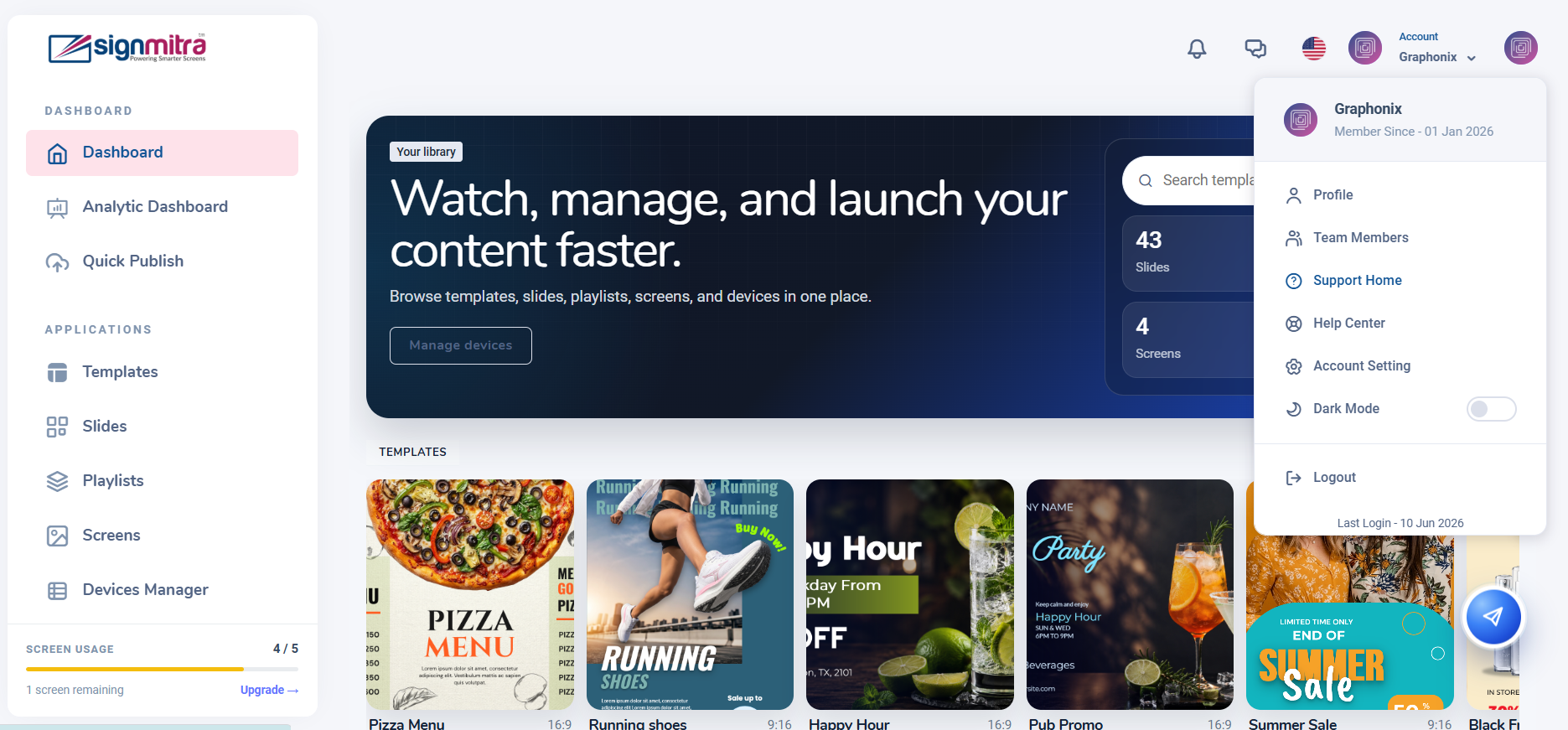
Support Home page
Step 2: Click Generate PIN
Click the "Generate Support PIN" button.
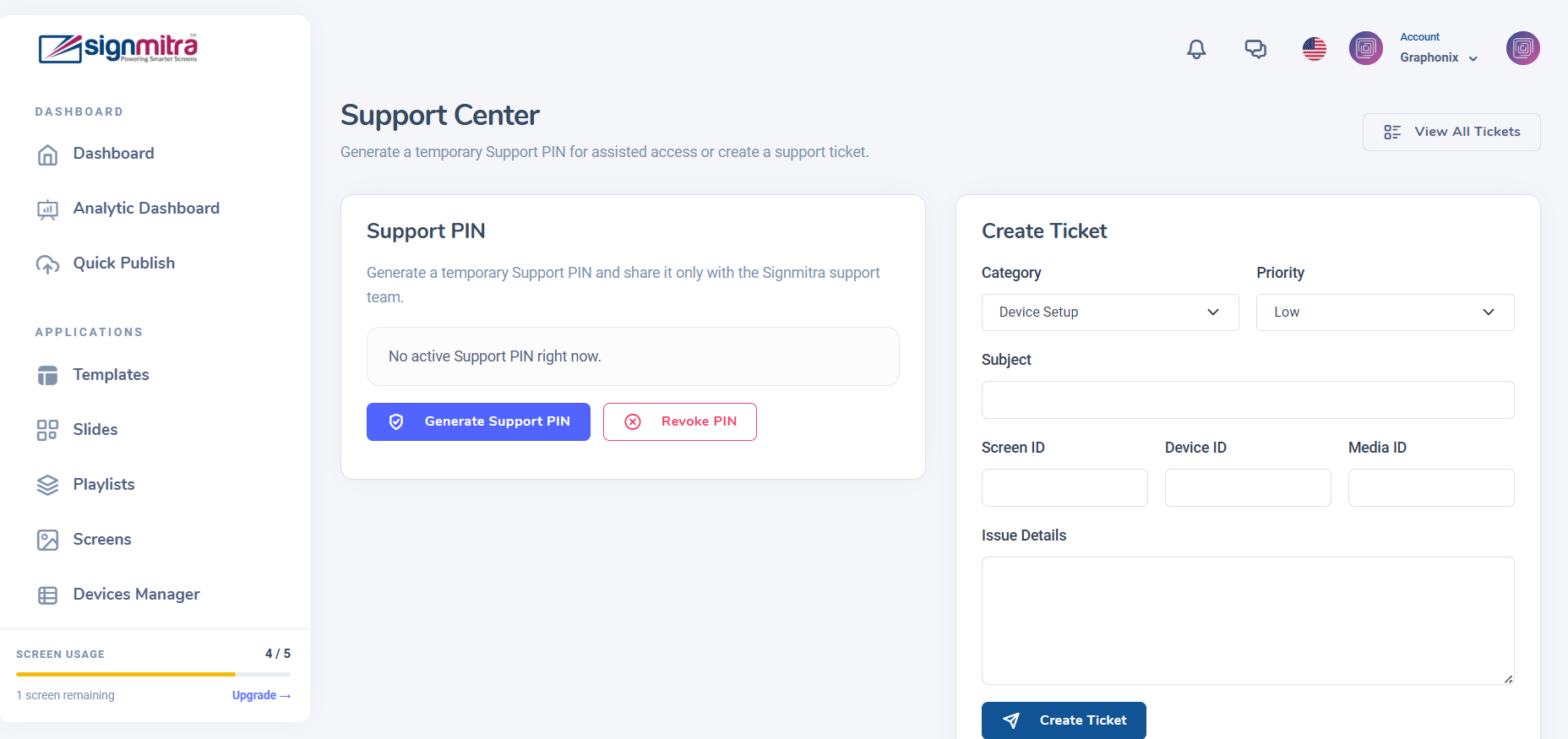
Generate Support PIN button
Step 3: PIN is displayed
A 6-digit PIN appears. Share only with the Signmitra support team.
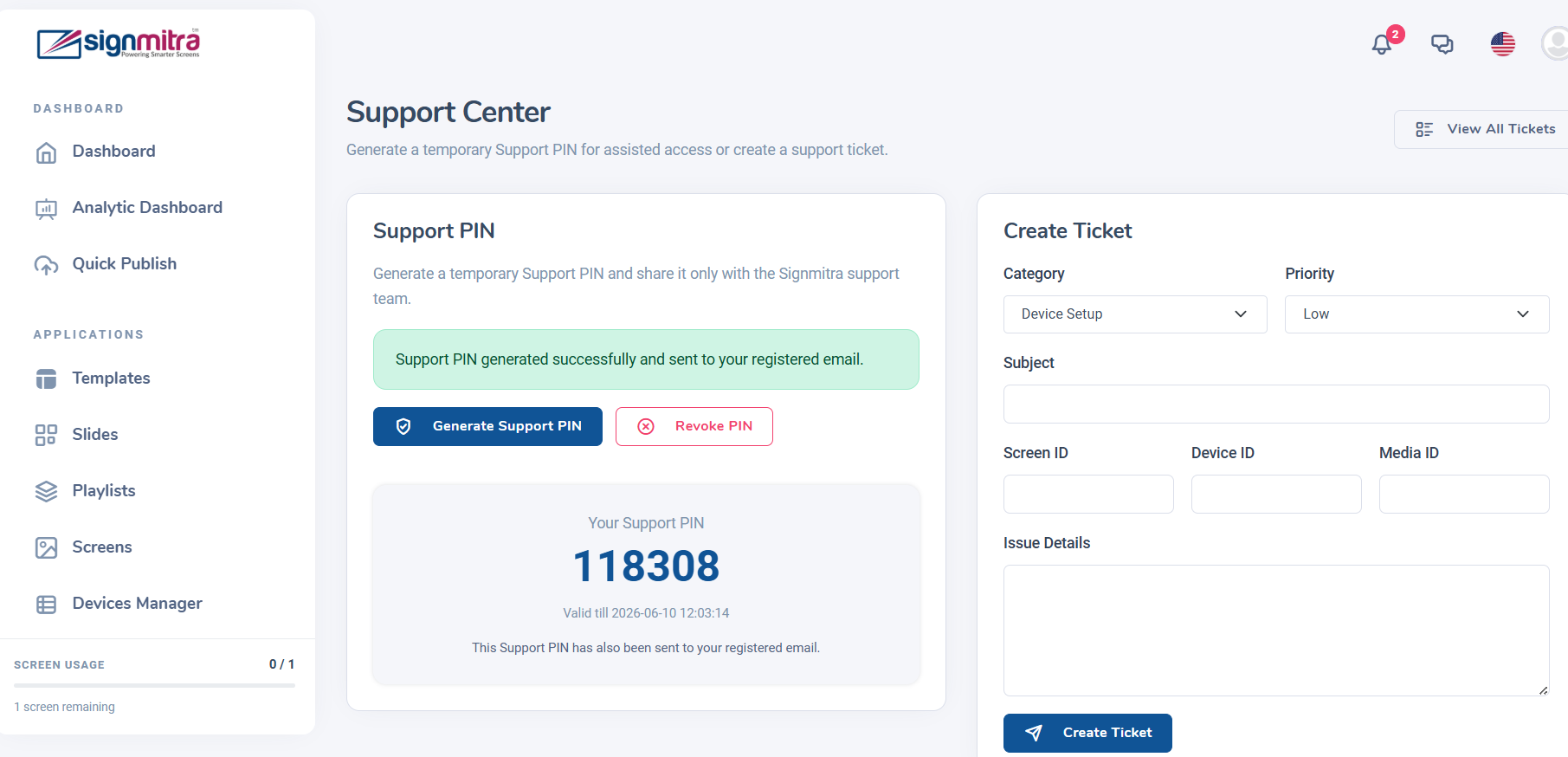
Generated PIN code displayed
Step 4: PIN expires automatically
The PIN is valid for 15 minutes and single use only.
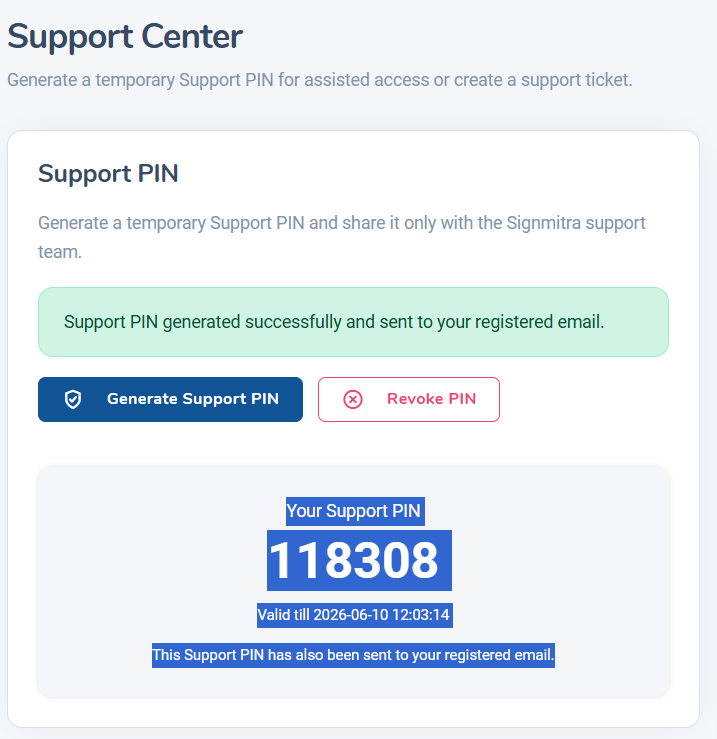
PIN expiry countdown
Frequently Asked Questions
Is the Support PIN safe to use?
Yes. The PIN is temporary (15 minutes), single-use, and grants limited permissions. All actions are logged.
Can support access my billing data?
No. Support mode explicitly blocks billing and payment access.
Was this article helpful?
Related Articles
Search Other Topics
Still need help?
Our team can help you with setup, device pairing, scheduling, and billing.