Help Center
Create Your Account

Overview
To get started with Signmitra, create a free account.
Step-by-step:
1. Visit the Signmitra website and click "Get Demo" or "View Pricing"
2. Choose a plan that fits your needs (Free, Trial, or Paid)
3. Fill in your name, email, and password on the registration page
4. Verify your email address by clicking the link sent to your inbox
5. Log in to your new dashboard
Tips:
• Use a business email for better deliverability
• Your username will become your profile URL
• You can upgrade or change plans anytime from the Subscription page
Step-by-step:
1. Visit the Signmitra website and click "Get Demo" or "View Pricing"
2. Choose a plan that fits your needs (Free, Trial, or Paid)
3. Fill in your name, email, and password on the registration page
4. Verify your email address by clicking the link sent to your inbox
5. Log in to your new dashboard
Tips:
• Use a business email for better deliverability
• Your username will become your profile URL
• You can upgrade or change plans anytime from the Subscription page
Step by Step Guide
Step 1: Visit the Signmitra website
Open your browser and navigate to the Signmitra homepage. Click "Get Demo" or "View Pricing" to begin.
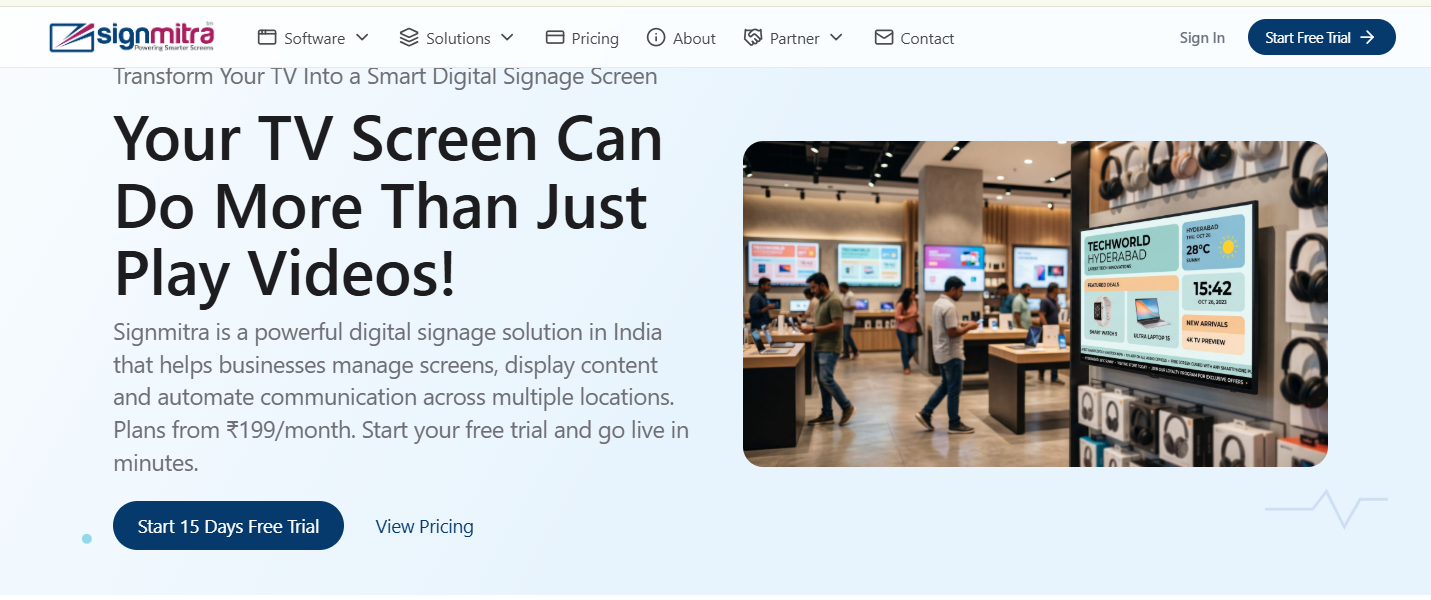
Signmitra homepage with sign up buttons
Step 2: Choose your plan
Browse the pricing page and select a plan that fits your needs. You can start with a free plan or trial.
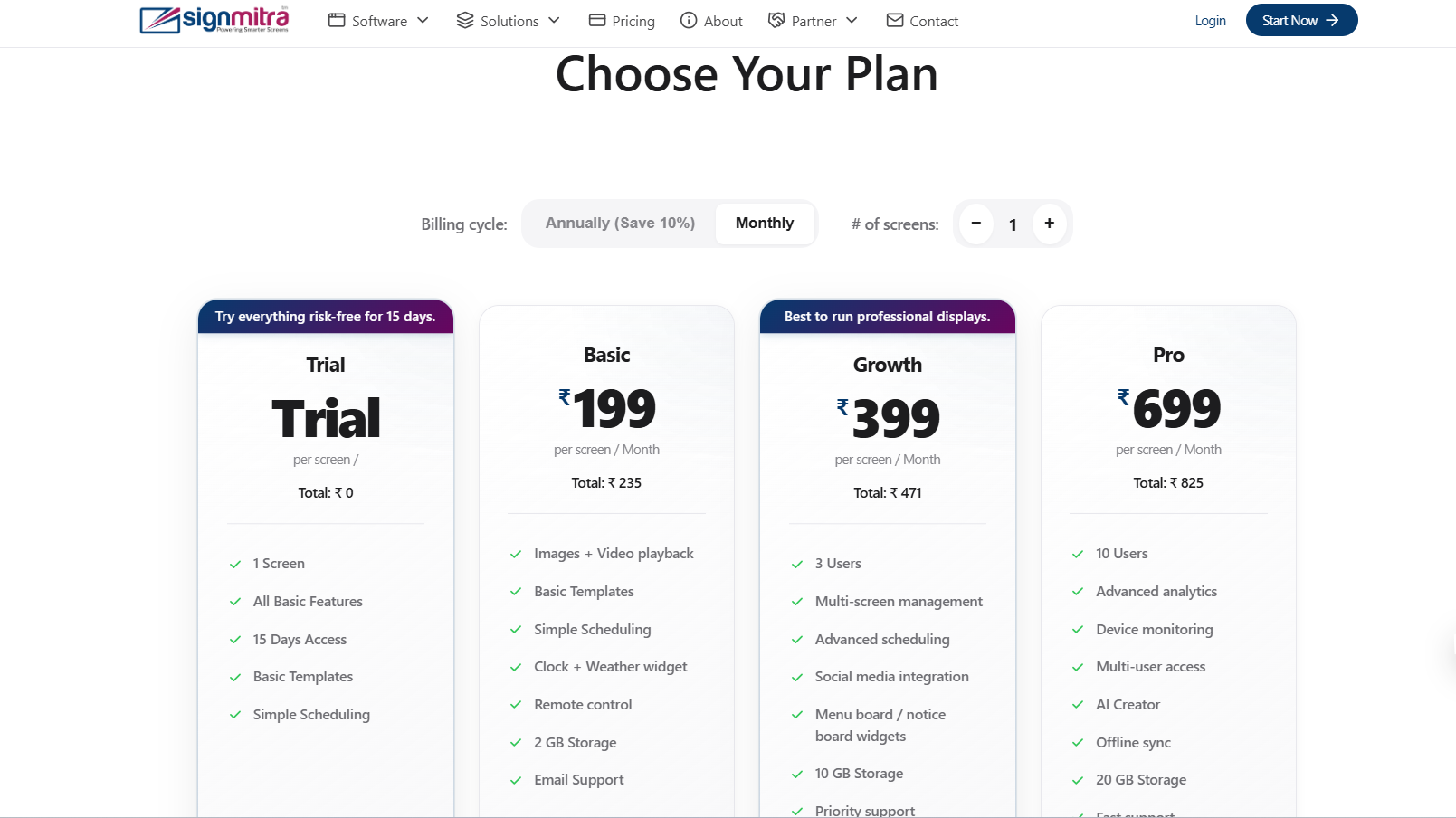
Pricing page with plan options
Step 3: Fill registration form
Enter your name, email address, and password. Choose a username for your profile URL.
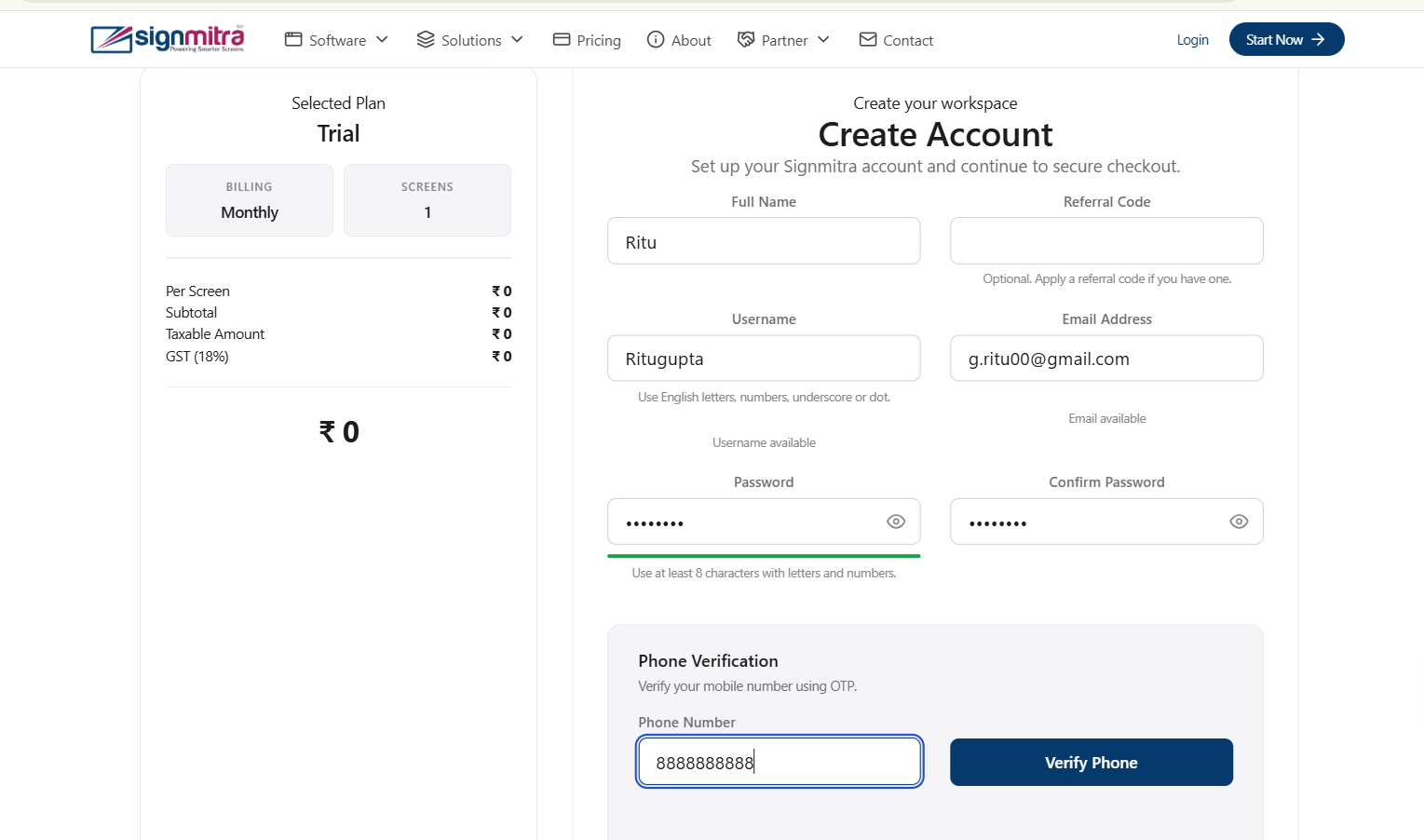
Registration form fields
Step 4: Verify your email
Check your inbox for a verification email. Click the link to activate your account.
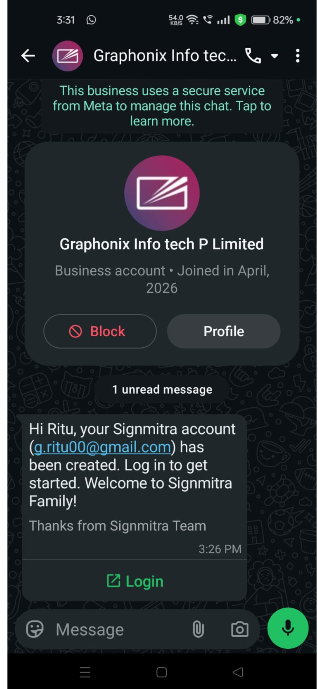
Email verification page
Frequently Asked Questions
Can I change my plan later?
Yes, you can upgrade, downgrade, or change your plan anytime from the Subscription page.
Was this article helpful?
Related Articles
Search Other Topics
Still need help?
Our team can help you with setup, device pairing, scheduling, and billing.