Facebook and Instagram. Connect supported business accounts through the managed Meta workflow.
Social & Engagement Digital Signage App
Turn approved social content into a vibrant screen experience
Connect supported Facebook and Instagram accounts, moderate posts and display text, emojis, hashtags, images and videos in responsive layouts.
Start 15-Day Free Trial
No credit card required
Book a Demo
BUILT FOR REAL SIGNAGE WORKFLOWS
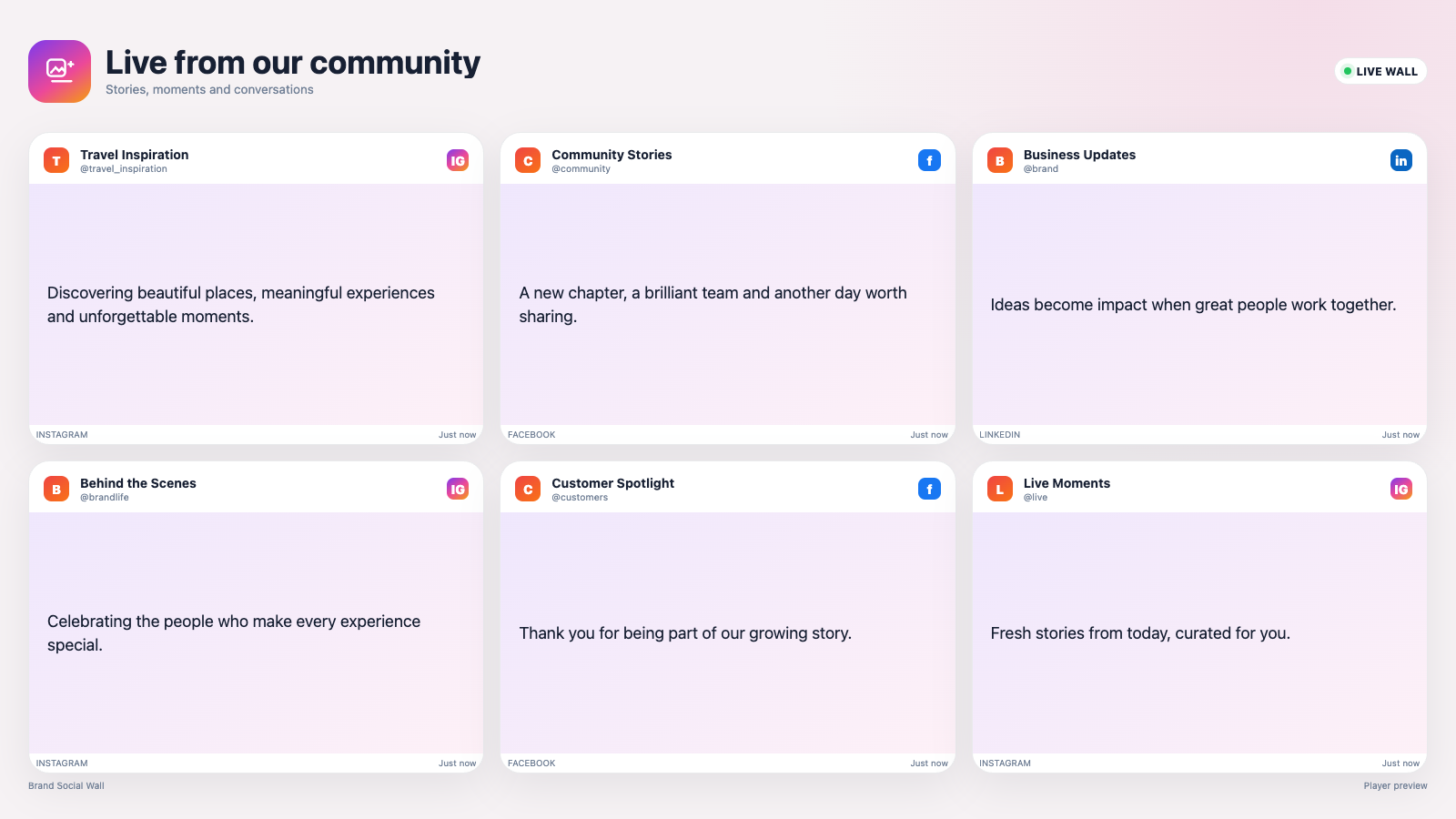
Social Wall on a real SignMitra screen
Connect supported Facebook and Instagram accounts, moderate posts and display text, emojis, hashtags, images and videos in responsive layouts.
Designed for: Retail, hospitality, schools, events, brands, offices and community venues.
SCREEN EXPERIENCE IDEAS
Design a purpose for every Social Wall screen
Explore practical placements and audience moments.
-
EVENT ENGAGEMENT
Event engagement
Display attendee posts and campaign hashtags in near real time.
-
RETAIL SOCIAL PROOF
Retail social proof
Show product experiences and community content in stores.
-
SCHOOL COMMUNITIES
School communities
Celebrate activities, achievements and campus moments.

-
HOSPITALITY EXPERIENCES
Hospitality experiences
Share guest stories and approved destination content.
BUILT FOR MANAGED SCREEN NETWORKS
Social Wall at a glance
A focused view of the capabilities teams use most.
Facebook and Instagram
Connect supported business accounts through the managed Meta…
Content moderation
Review and approve posts before they appear on…
Unicode-safe captions
Preserve readable text, emojis, mentions and hashtags.
Image and video
Display post media and play supported social videos.
APP FEATURES
What makes Social Wall useful
Each capability is designed around the way retail, hospitality, schools, events, brands, offices and community venues manage and publish screen content.
Content moderation. Review and approve posts before they appear on public screens.
Unicode-safe captions. Preserve readable text, emojis, mentions and hashtags.
Image and video posts. Display post media and play supported social videos.
Professional layouts. Choose focused, carousel and mosaic presentations.
Responsive playback. Keep captions and media balanced across TV and Android players.
PRODUCT VIEWS
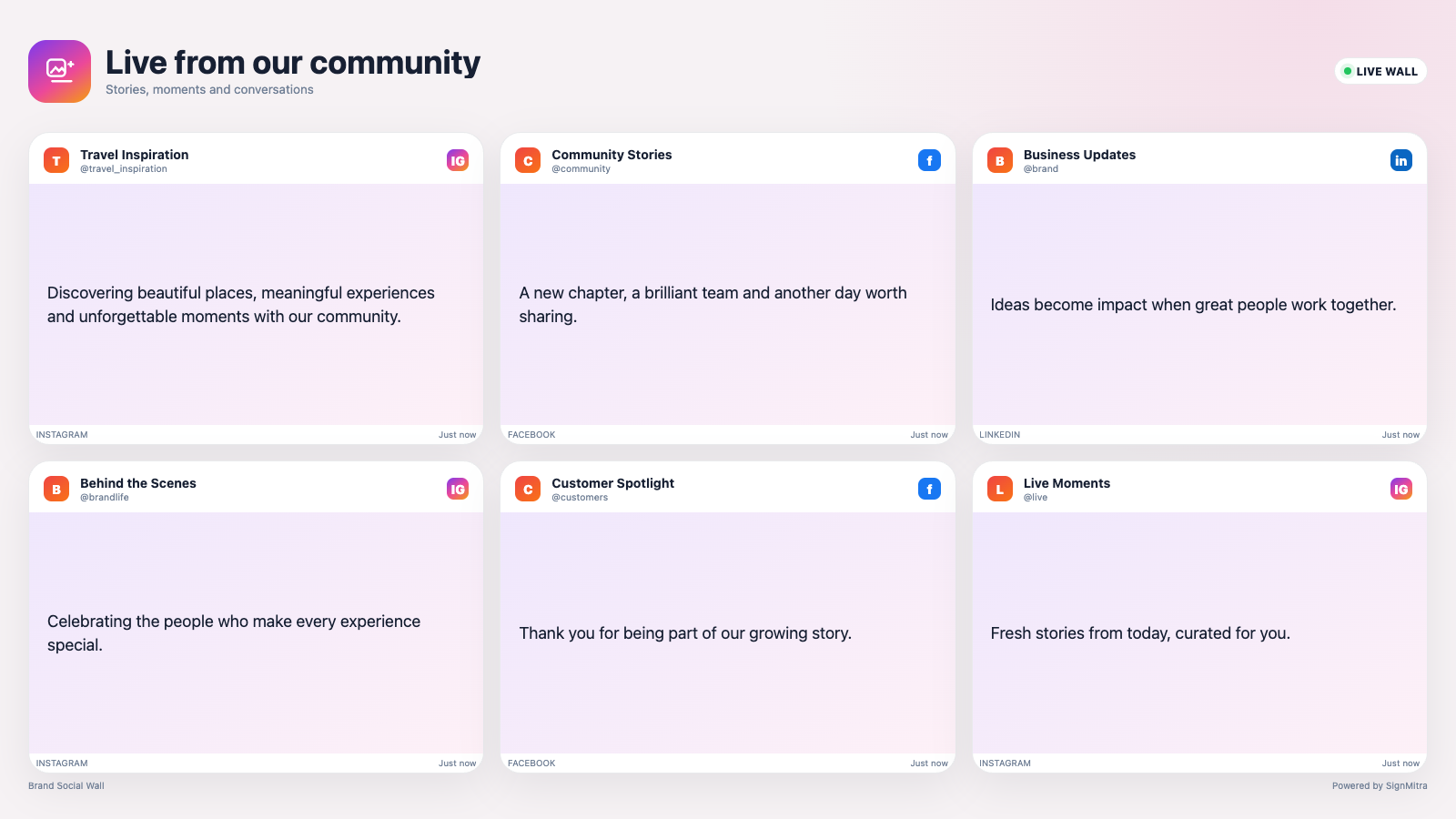
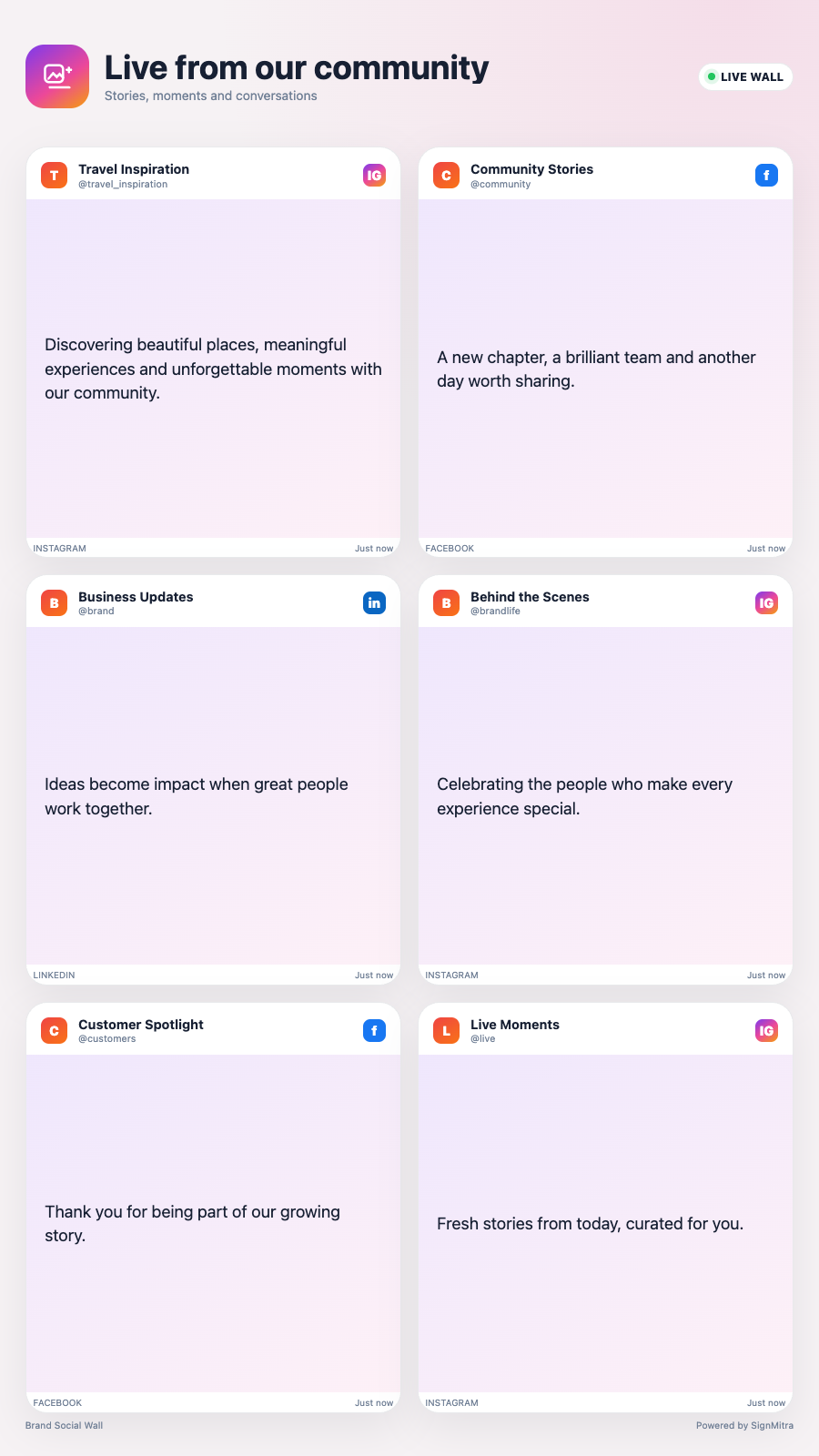
Three views of Social Wall
Captured from the app runtime for landscape, alternate-layout and portrait presentation.
Social Wall landscape app view Social Wall alternate app view Social Wall portrait app view EXPLORE BY USE CASE
Social Wall for different environments
See how the same app can solve a different communication need in each setting.
QUICK SETUP
Launch Social Wall in three steps
-
1
Facebook and Instagram
Connect supported business accounts through the managed Meta workflow.
-
2
Content moderation
Review and approve posts before they appear on public screens.
-
3
Unicode-safe captions
Preserve readable text, emojis, mentions and hashtags.
FREQUENTLY ASKED QUESTIONS
Questions about Social Wall
Need help planning this app for your screens?
Our team can recommend the right layout, player and rollout workflow.
Ready to use Social Wall on your screens?
Start a free SignMitra trial or book a guided demonstration for your use case.

